


Airalo: eSIM for travel & data
4.64.96K Reviews
App Specs
- Version
- 2.29.0
- Updated On
- License
- Free
- Downloads
- 10,000,000+
- Developer
- Airalo
- Categories
- Travel & Local
- Platform
- Android, iOS
Screenshots

 Analysis by AppCompare
Before I travel, I want to know how I’ll get online once I leave the airport: to check a route, message the person meeting me, or look up a booking. That is the problem Airalo: eSIM Travel & Internet is designed to address. It is a travel and local app from Airalo that lets you arrange mobile data through an eSIM rather than relying only on roaming or searching for a physical SIM after arrival. I see its main appeal as preparation: sort out a connection while you still have time, then focus on the trip.
Start with your phone and itinerary
Before buying any eSIM, I would first check that my phone supports eSIMs and is not restricted from using another carrier. That small check matters more than browsing plans: if the device cannot use an eSIM, the rest of the setup will not help. I would also decide which parts of the trip need mobile data. A traveler who mainly needs maps and messages has a different pattern from someone relying on video calls or hotspot use.
In the app, the practical flow is to create an account, look for an option suited to the destination, choose a data plan, and follow the installation instructions. Buying ahead can reduce the pressure of making decisions on arrival. I would do the installation while connected to dependable Wi-Fi, read each setup prompt carefully, and keep the instructions accessible in case I need to check them later.
What the eSIM changes—and what it doesn’t
An eSIM is a digital SIM, so there is no little plastic card to remove, store, or risk losing. That is useful if I want to keep my usual SIM in the phone while preparing a separate data connection for travel. It does not mean every phone handles multiple lines in the same way, though. Before the trip, I would learn how my device labels its SIMs and how to choose which line handles mobile data.
That distinction also helps avoid a common source of confusion: installing an eSIM and using it are not necessarily the same step. I would check the app’s instructions for when to activate the plan, then confirm the selected data line in the phone’s own settings. At the destination, a quick check of those settings is more useful than repeatedly reinstalling anything if the connection does not appear immediately.
Make the landing-to-first-ride handoff smoother
A realistic use case is arriving late, tired, and unfamiliar with the airport. If I have arranged the eSIM beforehand, I can try to get online to check a route, contact my accommodation, or arrange a ride without first finding a shop or joining a public Wi-Fi network. That is a modest convenience, but it is exactly the sort that can make the first half-hour in a new place less stressful.
I would still keep a fallback: save the accommodation address and essential booking details somewhere available offline, and know where the airport’s Wi-Fi option is. An eSIM reduces dependence on those alternatives; it does not make them unnecessary. That backup is especially sensible if arrival instructions are time-sensitive or I am travelling with someone who may need to contact me.
Worth Reading Before You Choose

Baby Panda World Brings Quick Play to Modern Phones, but Its Game Library Feels Busy

ESPN’s Live Game View Makes Following Close Games Easier

QuizzLand Review: A Good Fit for Short Trivia Breaks, Not Every Player

Basketball Stars: Multiplayer Is Fast, but Can It Recover When Matches Go Wrong?

WEBTOON Turns Phone Updates Into a Better Reading Routine

Link to Windows Runs on Shared Habits, Not Social Feeds
Choose a plan around your habits
The useful question is not simply how long the trip lasts, but what I expect to do online. Navigation, messaging, and checking opening hours are lighter uses than frequent video streaming or long calls. I would estimate my normal routine rather than choose a plan based on the most demanding day of the holiday. If I am unsure, I would compare the available options for the destination and avoid assuming that a plan suited to one journey will suit another.
There is a trade-off between convenience and flexibility. A travel eSIM can spare me the search for a local SIM, while a local provider may be a better fit for a long stay, a local number, or a plan designed around heavier use. Hotel and café Wi-Fi can also cover some needs, but it is less useful when I am moving around or need a connection right away. I would treat Airalo as a practical data option, not an automatic replacement for every kind of connectivity.
Where coverage and setup need a reality check
Mobile service still depends on the networks available where I am, the phone I use, and local conditions. I would not assume that an eSIM guarantees identical speed everywhere or reliable reception in every remote area. If I am travelling beyond cities, I would plan around the possibility of weaker service and download maps or other essentials in advance when possible.
Setup can also involve more than tapping one button. The phone may ask me to choose a line for data, and I need to be clear about which one is selected. If my usual SIM remains enabled, I would pay attention to its roaming settings so that I do not mistake the travel eSIM for a change to every part of my mobile service. A little care before departure is easier than troubleshooting while standing in a busy arrivals hall.
What is Airalo?
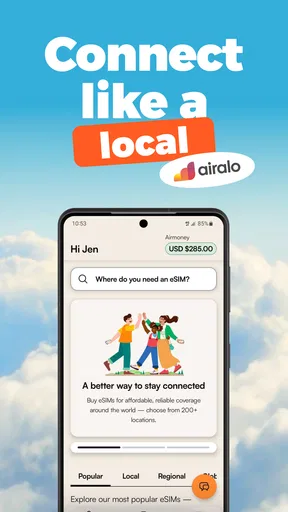
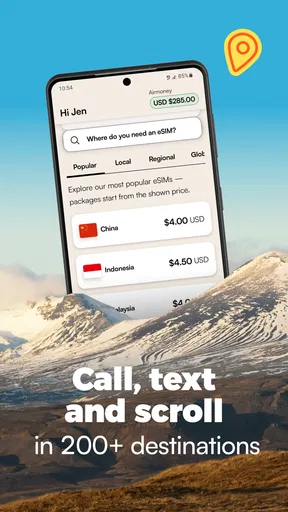
At its core, Airalo is an app that offers eSIMs for travelers. What’s an eSIM, you ask? It’s a digital SIM that allows you to connect to mobile networks without needing a physical SIM card. With Airalo, you can purchase data packs for over 190 countries right from your phone. It’s like having a global network in your pocket!
Getting Started
The first thing you’ll notice when you download the app is how user-friendly it is. I’m not the most tech-savvy person, but setting up an eSIM was surprisingly straightforward. You just need to create an account, browse through the available eSIMs, and purchase one that suits your needs. The app walks you through the installation process, and before you know it, you’re connected.
What I love about this is that you can buy your eSIM before you travel. No more landing in a new country and scrambling to find a local SIM card. You can also manage multiple eSIMs at a time, which is perfect if you’re hopping from country to country.
Features that Stand Out
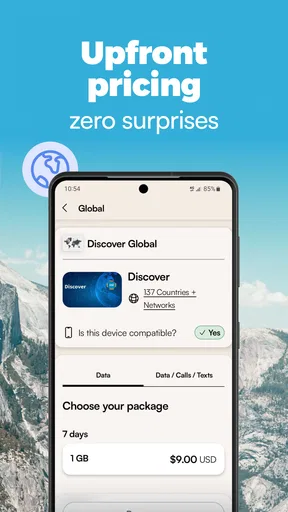
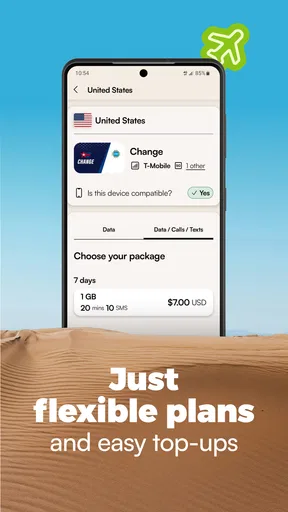
One of the standout features of Airalo is its affordability. Data packs are reasonably priced, and you can choose from a variety of plans based on how much data you think you’ll need. They offer everything from short-term packages for a quick getaway to long-term options for extended stays.
Another aspect worth mentioning is the app’s seamless integration with your device. Once you’ve set up your eSIM, it automatically takes over as your default data source when you arrive in a new country. It’s one less thing to worry about when you’re navigating unfamiliar territory.
Coverage and Performance
Now, you might be wondering about network coverage. I tested Airalo in several countries, and the connection was consistently reliable. Whether I was in the bustling streets of Tokyo or the serene beaches of Bali, I had no trouble accessing the internet. The speed was impressive too, allowing me to stream videos and make video calls without a hitch.
It’s worth noting that network performance can vary depending on the local provider, but overall, Airalo partners with top-tier networks to ensure you get the best possible service.
Why You Should Consider It
If you’re a frequent traveler, this app can save you a ton of money and hassle. No more dealing with exorbitant roaming fees or hunting down Wi-Fi cafes. Plus, the convenience of having access to data as soon as you land can’t be overstated. It’s a relief to know you can book an Uber or check Google Maps without any connectivity issues.
Additionally, Airalo is a great option for digital nomads who need to stay connected at all times. The flexibility to switch between different data plans and countries is invaluable for anyone working remotely while traveling.
The Final Verdict
In conclusion, Airalo: eSIM Travel & Internet is a must-have app for anyone who travels frequently or values staying connected on the go. Its affordability, ease of use, and extensive coverage make it a top choice in the realm of travel apps. Whether you’re a casual vacationer or a seasoned globe-trotter, Airalo is sure to enhance your travel experience.
So next time you’re planning a trip, consider giving Airalo a try. It might just be the travel companion you didn’t know you needed!
Who benefits most, and who may prefer another route
I think this app makes the most sense for people who travel often enough to value a repeatable setup, as well as holidaymakers who want mobile data soon after landing without visiting a phone shop. It is particularly convenient for a multi-country itinerary: you can manage multiple eSIMs, which may be simpler than collecting and keeping track of separate physical cards. The app is free to download, rated for Everyone, and has a 4.5 average from around 164,000 ratings, which gives new users a useful sense of its broad reception without guaranteeing that every trip will go smoothly.
It is less compelling if your phone does not support eSIM, if you need a local phone number for calls or messages, or if you will spend a long time in one place and want to compare local mobile plans. It may also be unnecessary for a short stay where your existing plan already includes suitable roaming, or where you expect to rely almost entirely on offline maps and accommodation Wi-Fi. In those cases, I would compare the actual convenience and cost of the alternatives rather than buy a travel data plan by habit.
Small checks that prevent bigger hassles
One useful habit is to prepare the phone before leaving rather than treating setup as an airport task. I would make sure the app is installed, sign in, check device compatibility, and read the installation steps while I still have stable internet. I would also note which SIM is intended for mobile data and which one, if any, should remain available for ordinary calls or texts. This makes the handoff between the app and the phone’s settings easier to understand.
For a trip with connecting flights or several destinations, I would check the plan’s destination fit before purchasing and avoid assuming that coverage or plan behavior will be identical across borders. I would keep an eye on the phone’s data usage during the first day, especially if automatic backups, app updates, or video playback are part of my routine. That is a practical way to spot a mismatch early, rather than discovering near the end of a trip that my habits use more data than expected.
What to expect from the app itself
Airalo is free to download, but the eSIM data plans are the part that involves a purchase; I would compare the options shown for my destination before deciding. The app has more than 10 million installs, and its current version is 2.20.0, with Android 7.0 or later listed as the minimum system requirement. Those details can help when checking whether an older Android phone is suitable, though eSIM hardware support remains a separate requirement.
When something goes wrong, I would first separate an app problem from a phone or network problem. I would check that the eSIM is installed and enabled, confirm the correct line is selected for mobile data, and make sure I have followed the plan’s activation instructions. If those checks do not resolve it, the local network or the device’s settings may be involved; repeatedly buying another plan is not a sensible first troubleshooting step.
A measured recommendation
Airalo’s strongest value is the handoff it can simplify: planning at home, installing a digital SIM, then using mobile data as part of the arrival routine. It does not remove every connectivity decision, and it cannot make an unsupported phone compatible or guarantee the same reception in every location. I would use it when easy, destination-based data matters more than having a local number or the cheapest possible long-stay arrangement.
Airalo is listed in the travel and local category, and the overall package is easy to understand: browse, choose, install, and manage eSIMs in one place. Airalo, the developer, has built an app that suits travelers who are comfortable checking a few device settings before departure. With around 4,500 reviews alongside its larger rating total, there is plenty of public feedback to consult; I would still judge the fit by my phone, route, and expected data habits. For that kind of traveler, it is a useful option to have ready before the suitcase is zipped.
Pros
- Easy to set up and activate internationally.
- Offers affordable data plans for travelers.
- No need to swap physical SIM cards.
- Supports multiple countries in one app.
- User-friendly interface for seamless navigation.
Cons
- Requires internet for initial setup.
- Limited data plans in some remote regions.
- Not compatible with all devices.
- Customer support can be slow at times.
- May have connectivity issues in rural areas.
FAQs for Airalo: eSIM for travel & data
What is Airalo and how does it work?
Airalo is an app that provides eSIMs for travelers, allowing you to access affordable mobile data without the need for physical SIM cards. After purchasing an eSIM through the app, you can install it on your compatible device, enabling you to connect to local networks while abroad and avoid costly roaming charges.
Is my device compatible with Airalo eSIMs?
Airalo eSIMs require a compatible device that supports eSIM technology. Most newer smartphones, such as the latest iPhone and Android models, support eSIM. It's important to check your device's specifications or consult the manufacturer's website to ensure compatibility before purchasing an eSIM from Airalo.
How do I purchase and install an eSIM from Airalo?
Purchasing an eSIM from Airalo is simple. After downloading the app, browse through available plans for your destination, select a suitable package, and complete the purchase. The app will guide you through the installation process, typically involving scanning a QR code to activate the eSIM on your device.
Can I use Airalo eSIMs in multiple countries?
Airalo offers both regional and global eSIM plans. Regional eSIMs cover multiple countries within a specified region, while global plans provide broader coverage. It's essential to select a plan that matches your travel itinerary to ensure seamless connectivity across your destinations.
What should I do if I encounter issues with my Airalo eSIM?
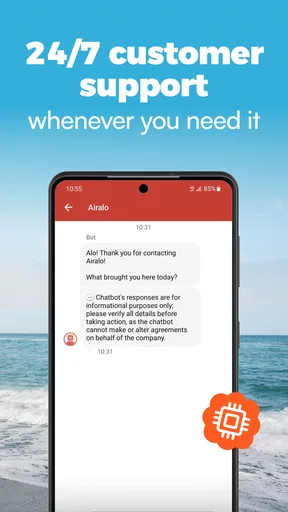
If you experience any problems with your Airalo eSIM, the app provides customer support through various channels, including live chat and email. It's also useful to check the app's troubleshooting section, which offers solutions to common issues. Ensure your device settings are correctly configured and that you have followed all installation steps.


